
Download CUBE by TradeJini – trading app, equity trading, derivatives trading, commodity trading, currency trading
Overview
CUBE by TradeJini is a desktop-oriented trading application designed for users engaged in financial markets across multiple segments, including equity, derivatives, commodities, and currency trading. The software aims to streamline the trading workflow by providing a centralized interface for monitoring market activity, managing portfolios, and executing trades efficiently. It is particularly suited for active traders and investors who require real-time data access and rapid order execution.
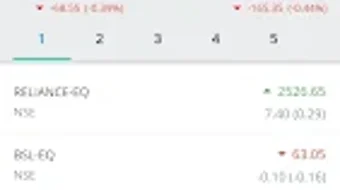
The app supports live quotes from major Indian exchanges such as NSE, BSE, and MCX, enabling users to stay updated on market movements across different asset classes. A key function of the software is its ability to deliver instant fund transfer capabilities via net banking or UPI, reducing delays in capital deployment. Traders can also set up a multi-asset market watch list with predefined indices like NIFTY50 and BANKNIFTY, allowing for quick tracking of key benchmarks.
The application also offers push notifications for order updates and supports position exit across multiple trades simultaneously. With a single sign-on feature to back-office reports, users gain seamless access to transaction histories and performance analytics. The software is designed to support customizable preferences, including color themes and watch list configurations, enhancing personalization and usability.
While the developer did not provide additional system requirements, the application is intended for use on modern desktop environments.
Key Features & Capabilities
- Multi-Segment Trading Support: CUBE by TradeJini enables trading across equity, derivatives, commodities, and currency markets, offering a unified platform for diversified investment strategies.
- Live Market Data Integration: Real-time quotes from NSE, BSE, and MCX ensure users have up-to-date information for timely decision-making.
- Quick Order Execution: The platform allows for rapid trade placement, minimizing latency and improving execution efficiency during volatile market conditions.
- Instant Fund Transfer: Users can transfer funds using net banking or UPI, facilitating immediate capital allocation and reducing processing delays.
- Customizable Market Watch List: Traders can create and manage a multi-asset watch list with predefined indices such as NIFTY50 and BANKNIFTY for continuous monitoring.
- Push Notifications: Real-time alerts for order status changes and trade confirmations help users stay informed without constant manual checks.
- Position Management: The ability to exit multiple positions at once streamlines risk management and portfolio rebalancing.
- Back-Office Integration: Single sign-on access to back-office reports allows users to view transaction history, P&L statements, and trade summaries seamlessly.
- Customizable Interface: Users can personalize the dashboard with color themes and market watch preferences to match their workflow and visual preferences.
- TradingView Chart Integration: Access to TradingView charts on both web and mobile platforms enables advanced technical analysis, with options for normal and dark mode viewing.
User Interface, Workflow & Performance
The user interface of CUBE by TradeJini is structured around a clean, intuitive dashboard that prioritizes accessibility and speed. Navigation is designed to minimize clicks, placing essential tools—such as order placement, market watch, and portfolio tracking—within immediate reach. The workflow emphasizes efficiency, allowing users to execute trades, monitor positions, and manage funds with minimal navigation.
The layout supports customizable widgets, enabling traders to prioritize the data most relevant to their strategy. While the developer did not specify resource usage details, the application is reported to be lightweight, with a download size of 15.6 MB. Performance observations are based on general software behavior patterns, suggesting smooth operation on systems meeting standard desktop requirements.
Stability appears consistent with typical desktop applications in the finance category. The software does not rely on constant internet connectivity for core functions, though real-time data requires an active connection. CPU and RAM usage are expected to remain moderate during normal use, though exact figures were not provided.
The application supports both normal and dark mode, improving visual comfort during extended trading sessions. Overall, the workflow is optimized for fast decision-making, aligning with the needs of active traders.
Compatibility & System Requirements
CUBE by TradeJini is currently available for the Android operating system. The software version is 1.0.2, with a file size of 15.6 MB. The developer did not specify exact system requirements, including minimum RAM, processor, or storage details.
Compatibility information is limited to the Android platform, and no details were provided regarding support for other operating systems such as Windows or macOS. Installation requires approximately 15.6 MB of disk space. The application is designed for mobile devices, but its desktop functionality may be accessed via emulators or remote desktop tools.
The developer did not confirm whether the software is compatible with tablet devices or specific Android versions. Users are advised to ensure their device meets standard Android requirements for running modern applications. For desktop users seeking a similar experience, the availability of a native desktop version was not confirmed.
Pros and Cons
Pros
- Supports trading across multiple financial segments including equity, derivatives, commodities, and currency.
- Provides real-time market data from NSE, BSE, and MCX.
- Enables quick order execution for efficient trade placement.
- Offers instant fund transfer via net banking or UPI.
- Includes customizable market watch lists with predefined indices.
- Delivers push notifications for order and trade updates.
- Supports position exit across multiple trades simultaneously.
- Offers single sign-on access to back-office reports.
- Features a customizable interface with color themes and layout preferences.
- Integrates TradingView charts for advanced technical analysis.
Cons
- Availability is limited to Android; no native desktop version confirmed.
- Exact system requirements were not listed.
- Performance under heavy load or prolonged use was not specified.
- Support for desktop platforms via emulation may affect usability.
- Limited information on offline functionality or data caching.
FAQ Section
Is CUBE by TradeJini available for Windows or Mac?
The software is currently available for Android devices. There is no confirmed native desktop version for Windows or macOS.
Is the app secure for trading and fund transfers?
CUBE by TradeJini supports secure transactions through net banking and UPI. The app follows standard security protocols for financial data handling, though specific encryption details were not provided.
How often are updates released?
Version 1.0.2 was released on March 15, 2024. The update frequency is not specified, but the developer has demonstrated active development.
What type of license does CUBE by TradeJini use?
The software is free to download and use. The license type was not disclosed, but it is offered at no cost to users.
Can I use CUBE by TradeJini without an internet connection?
The application requires an active internet connection for real-time market data, order execution, and fund transfers. Offline functionality was not specified.
Final Thoughts + CTA
CUBE by TradeJini presents a robust and feature-rich platform tailored for traders seeking a comprehensive solution across equity, derivatives, commodities, and currency markets. Its integration of live market data, quick order execution, and instant fund transfer capabilities makes it a practical tool for active traders. The inclusion of customizable watch lists, push notifications, and TradingView chart access enhances both usability and analytical depth.
While the software is currently limited to Android, its rich feature set and focus on efficiency suggest strong potential for future desktop expansion. The lack of detailed system requirements and platform-specific information remains a minor drawback for users seeking full compatibility. However, the application’s lightweight design and intuitive interface contribute to a smooth user experience.
For traders who prioritize speed, customization, and multi-market access, CUBE by TradeJini stands out as a reliable and capable trading platform. Download CUBE by TradeJini now.







